WINNGroupAll forms
Back

DSE Assessment Form

Assess your display screen equipment set-up so we can make sure you're working safely.
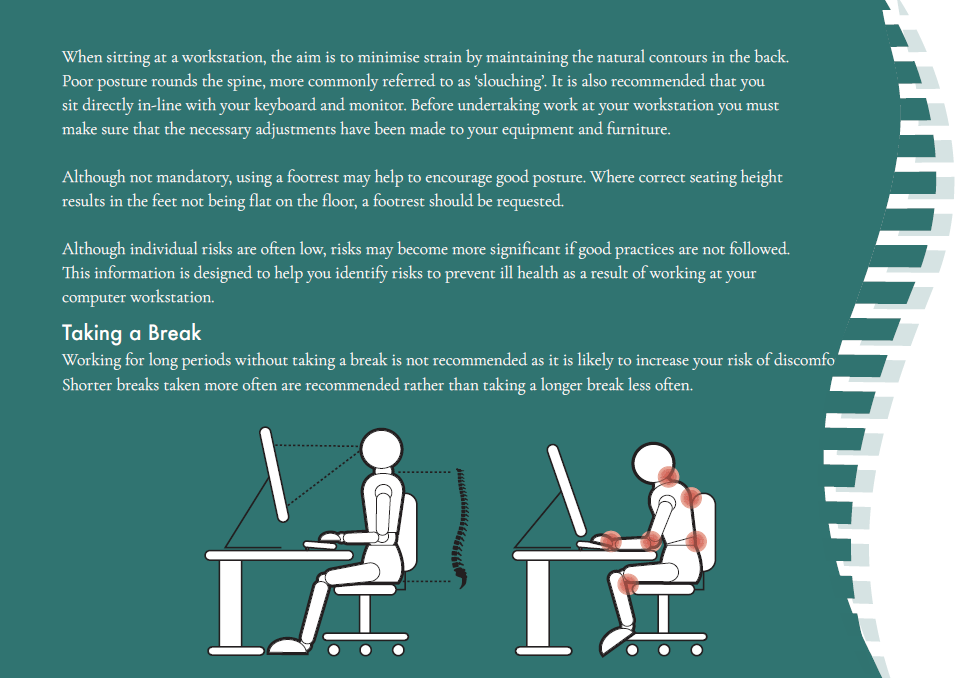
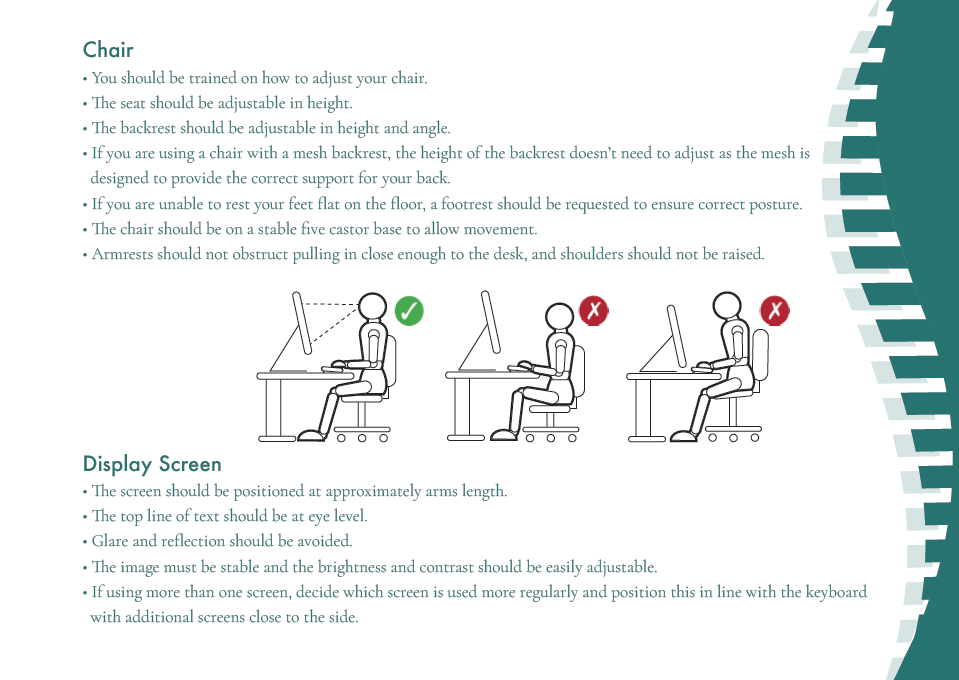
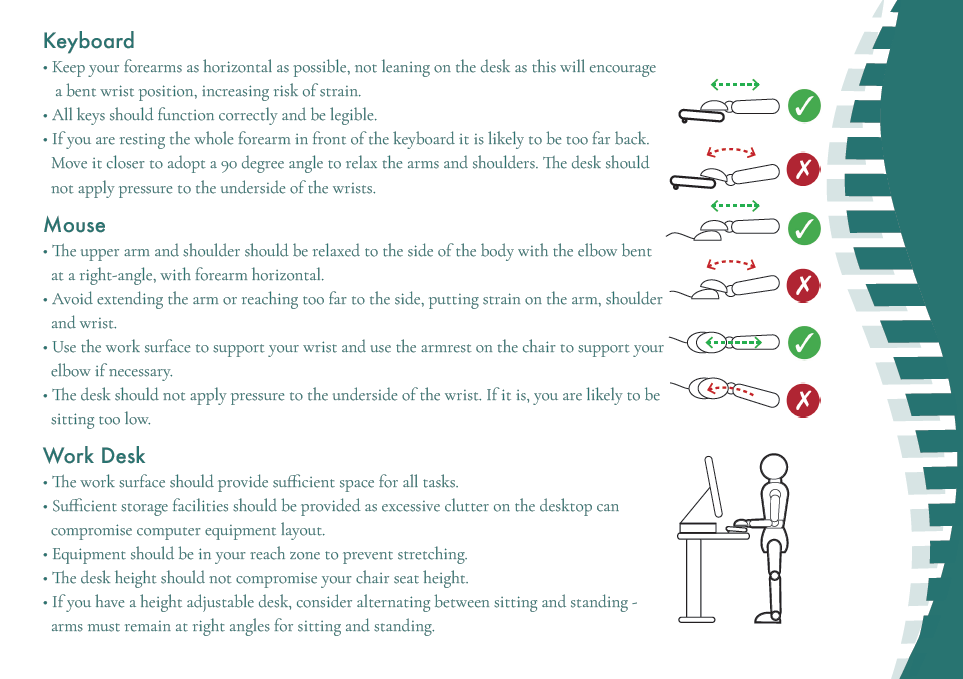
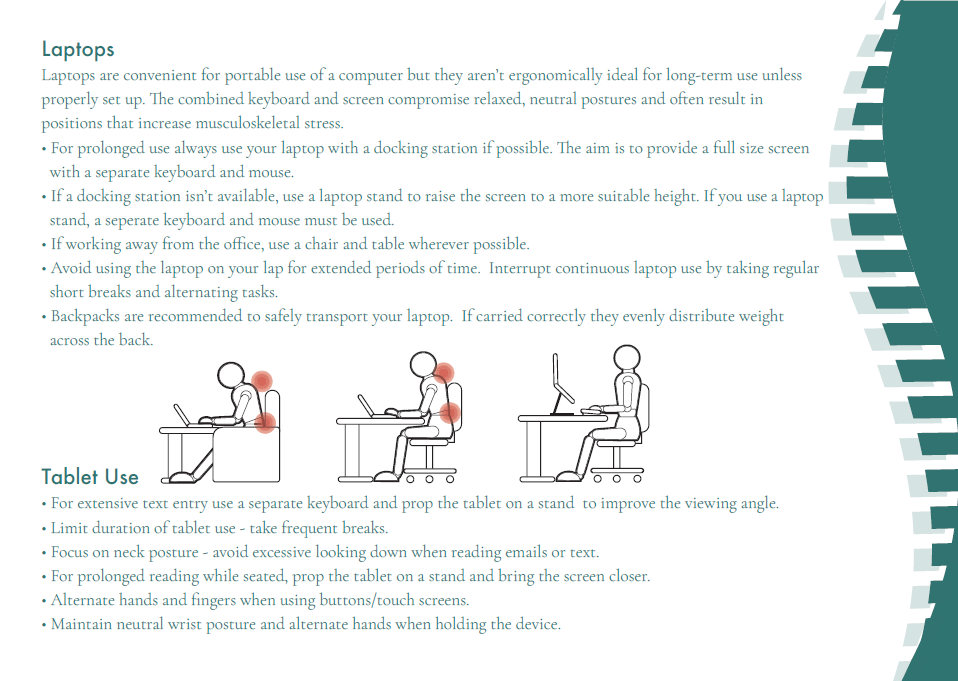
Importance of good posture at your display screen equipment workstationGuidance on taking breaks and maintaining good posture at your workstationChair and display screen setup guidance for DSE assessmentsKeyboard, mouse, and work desk setup guidance for DSE assessmentsLaptop and tablet use guidance for DSE assessmentsSummary of good workstation setup for DSE assessments

Please read the Importance Of Good Posture document above and complete your DSE Flick Training before completing this form. This assessment is designed to ensure compliance with the Health & Safety (Display Screen Equipment) Regulations 1992 and to ensure your comfort and well being whilst working. Please read each question fully and answer by ticking either Yes or No. These questionnaires are retained and could form part of an evidence file used in support of any action taken in the future with regard to your Health & Safety.

Training & Information

No

!Important! Please complete the training before completing this form

No
No

Health Questionnaire

No

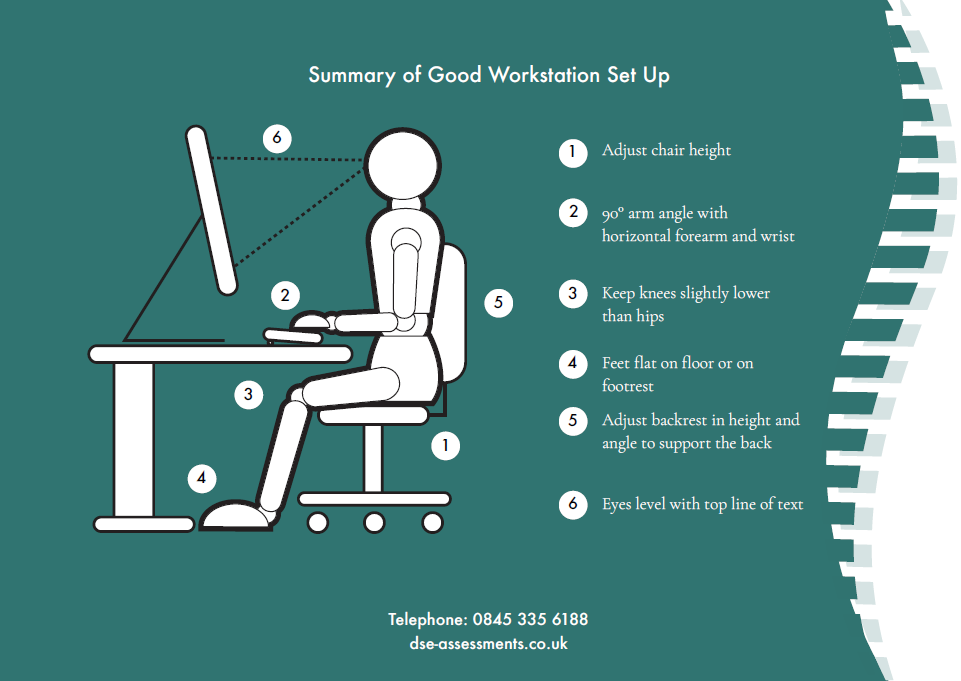
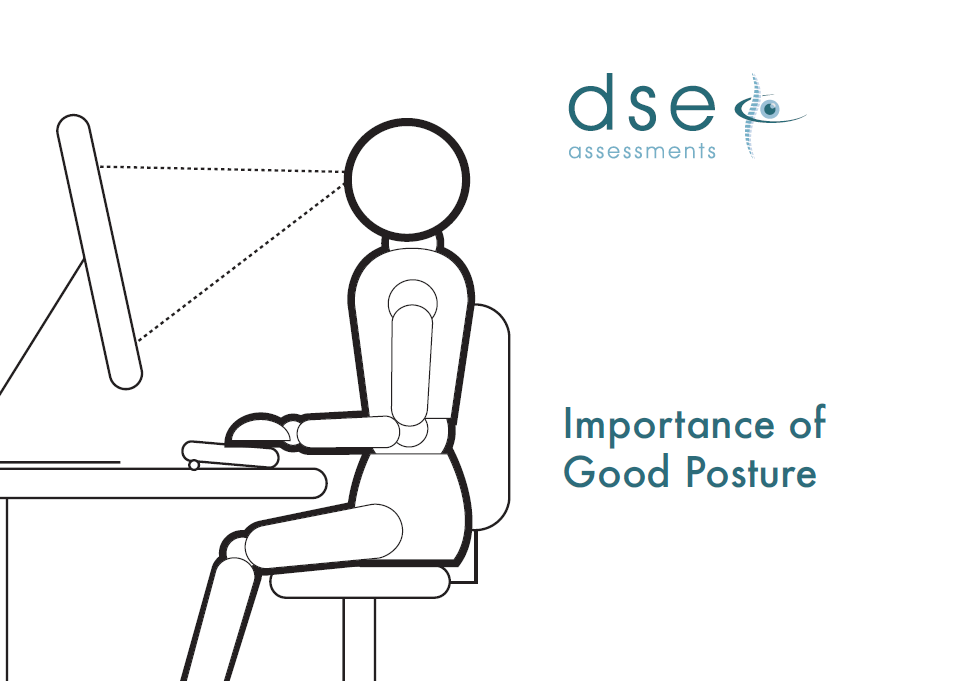
Importance of Good Posture Guidance

  1. Adjust chair height
  2. 90-degree arm angle with horizontal forearm and wrist
  3. Keep knees slightly lower than the hips
  4. Feet flat on floor or on a footrest
  5. Adjust backrest in height and angle to support the back
  6. Eyes level with the top line of text

Posture

No
No
No
No

Chair

No
No
No
No

Display Screen

No
No
No

Keyboard

No
No
No
No

Mouse

No
No
No

Desk/Office Environment

No
No
No
No
No
No

Laptop Users

No
No
No

Telephone work

No

Further Detailed DSE Assessment

No

To be completed by Employee:

To be completed by HR:

Employee

By ticking this box I treat this as my signature.

HR

Cancel